60-day free trial, no credit card required.
Your draft, redlined in seconds, not days.
Compliance pre-review for financial services. RedLine reviews your content against your firm's compliance guidelines before submission, flagging suggested edits—language to revise, wording to remove, and disclosures to add or omit.




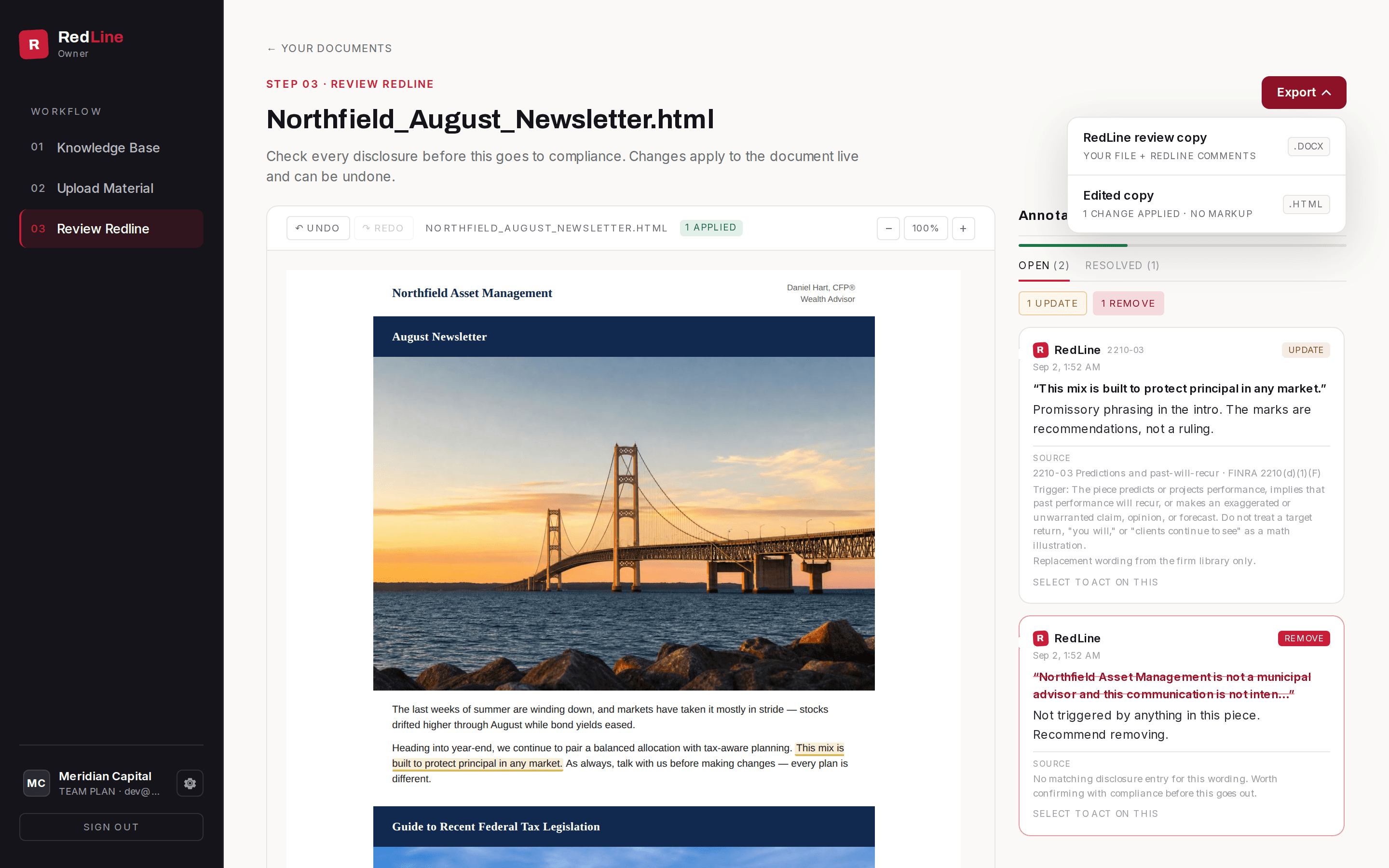
A client newsletter going through a full review, then the fixes applied.
Break the resubmission loop
Most drafts submitted to compliance bounce for predictable reasons: a missing disclosure, wording that drifted from the approved language, a line that should never run. RedLine catches the predictable ones before submission, so the review doesn't keep going back in the queue.
Without a pre-review
- 1Marketing sends the draft to compliance.
- 2It waits in the queue.
- 3It comes back marked up: wording that drifted from the approved language, a missing disclosure, a line that should never have run.
- 4Marketing rewrites and resubmits.
And around again, until it clears.
With RedLine
- 1RedLine reads the content against the firm's guidelines in seconds.
- 2Marketing fixes everything it flags before the draft leaves the desk.
- 3Compliance opens a draft with the known issues already gone.
Then compliance reviews it.
How it works. Three steps.
01.
Load firm guidelines
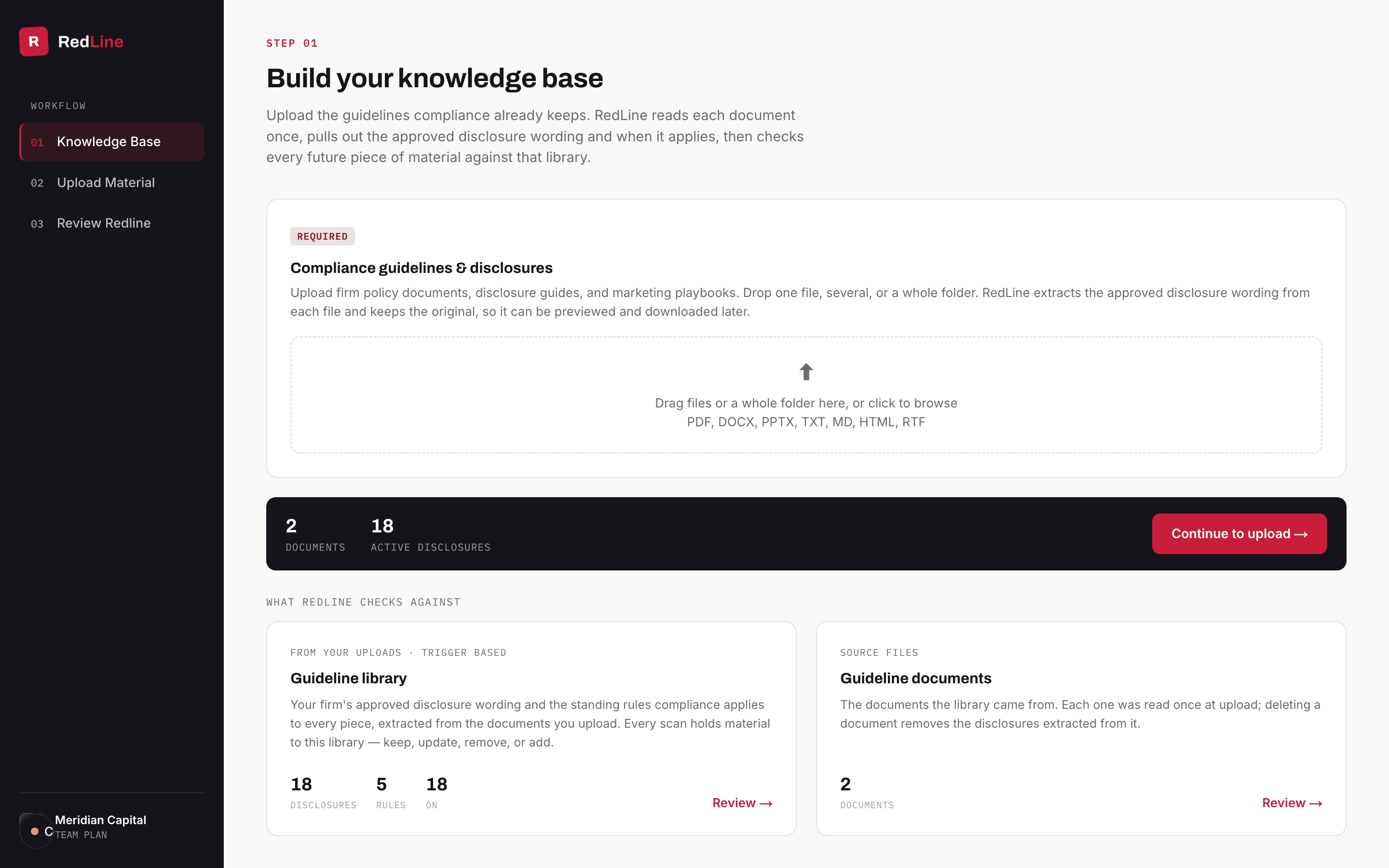
This step belongs to compliance. The firm loads approved disclosures and standing rules, edits them, and switches them on or off. RedLine stores the wording verbatim with the condition that triggers each item. People submitting content scan against the library; they do not edit it.
02.
Submit the content
A newsletter, a deck, an email, or an ad graphic — submit the content in any of 10+ file types. RedLine runs one pass against the firm library and, on the Plus plans, the built-in FINRA 2210 and SEC Marketing Rule pack. The marks are recommendations, not a ruling.
03.
Review & Export
After reviewing the recommended annotations, export a RedLine review copy to share the marks, or an edited copy that includes the changes already made. A registered principal still signs off. RedLine does not replace that review.
Try it free for 60 days.
Free trial
Run your real drafts through RedLine and get every suggested edit before anything goes to compliance.
No credit card required